
Registered Subscribers are users who have registered with your blog.
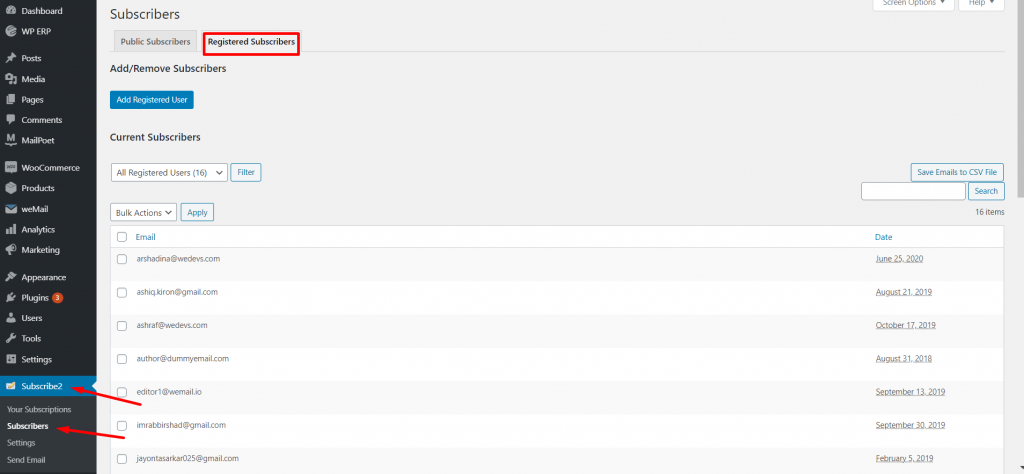
To manage registered subscribers, navigate to Subscribe2->Subscribers->Registered Subscribers.
Adding Registered Subscribers
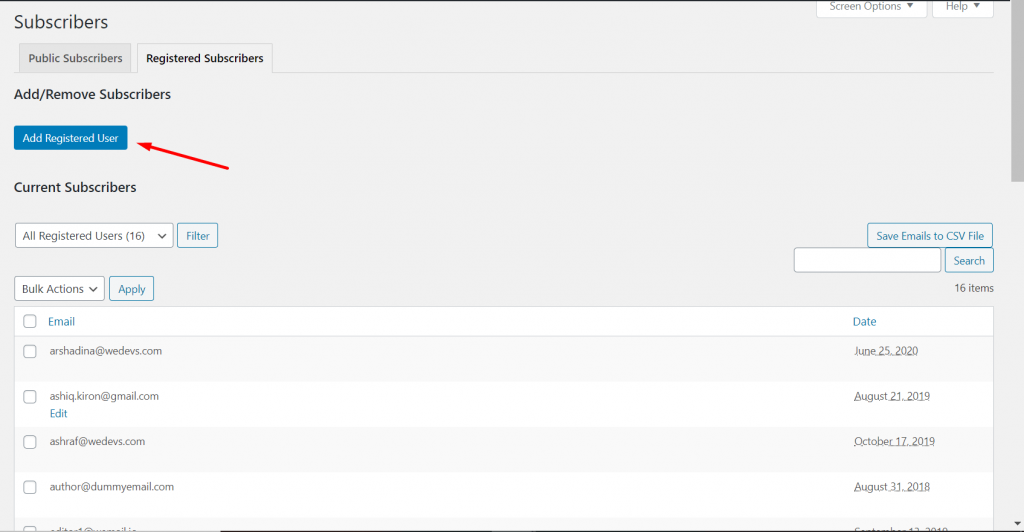
You can add registered subscribers manually. Click on the Add Registered User button.
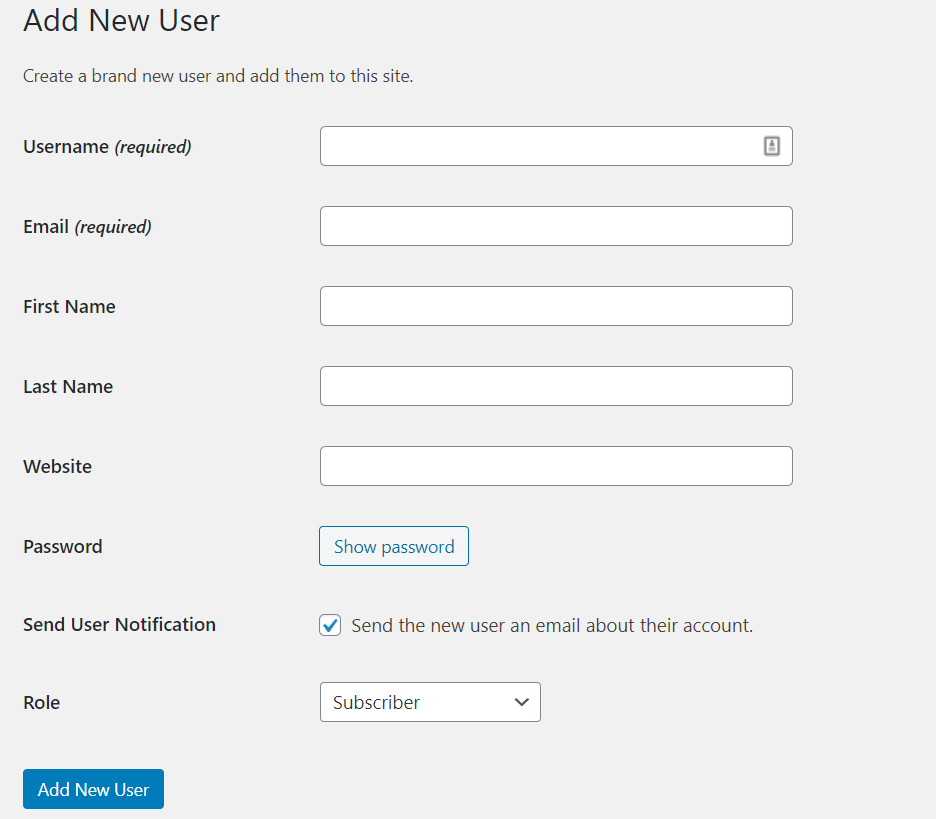
Now, add the user name, email and other necessary information and click on the Add New User button to finish.
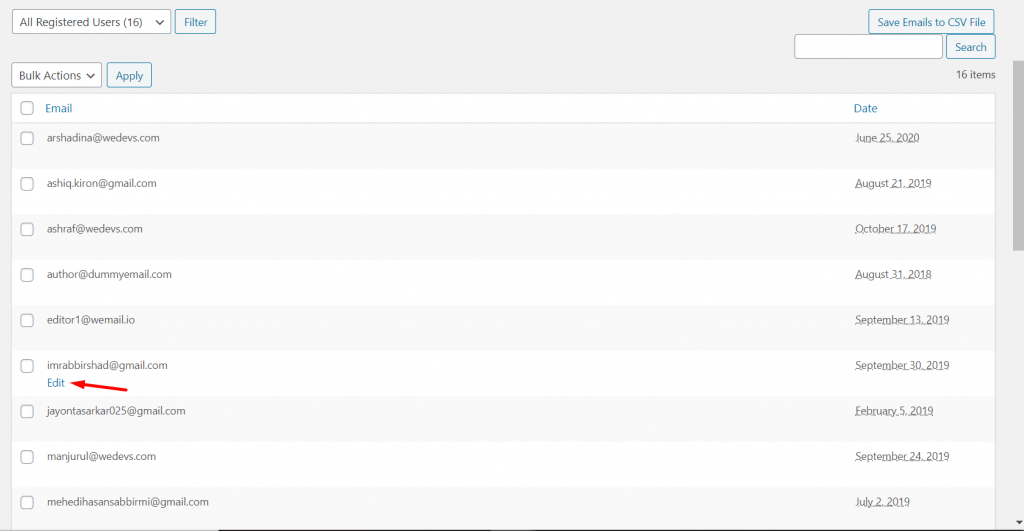
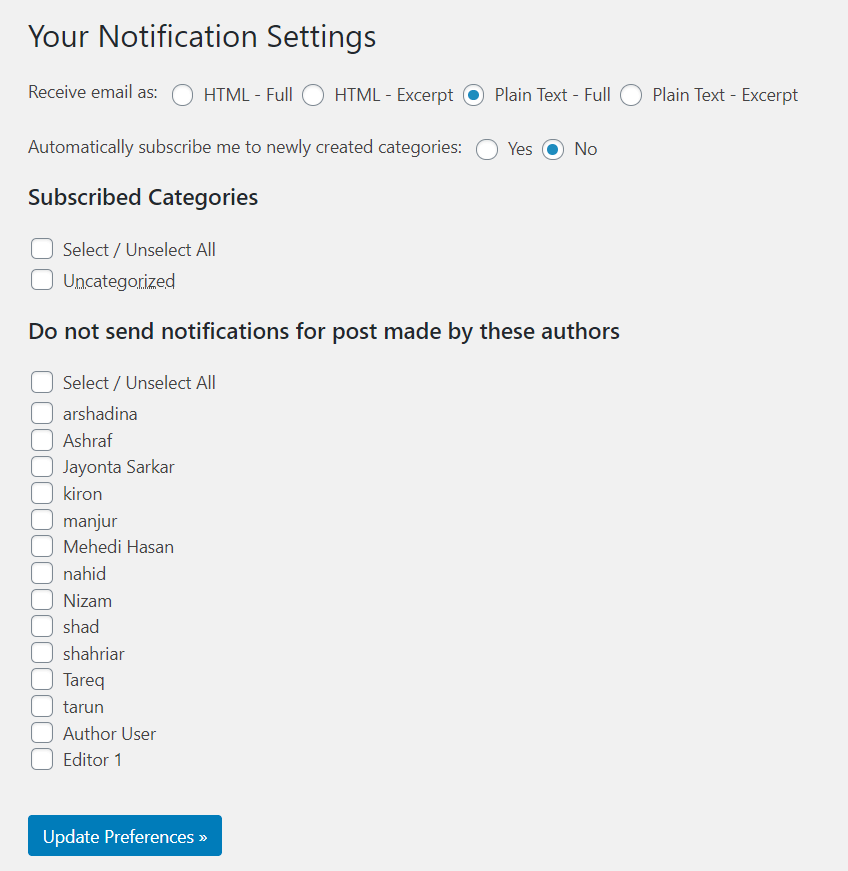
You can also edit your registered users to customize their notifications. Hover over the registered users name, click on Edit.
Then you will be redirected to the notification page. There you can customize the registered users notification settings.
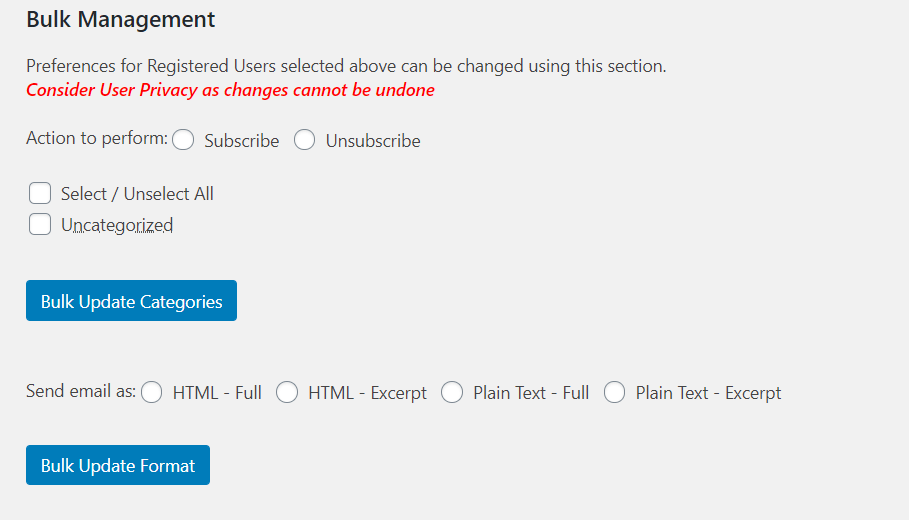
Bulk Management
You can manage your registered users in bulk. in Categories and Formats. Just scroll down and you will find the options.
Registered Subscribers Notification Settings
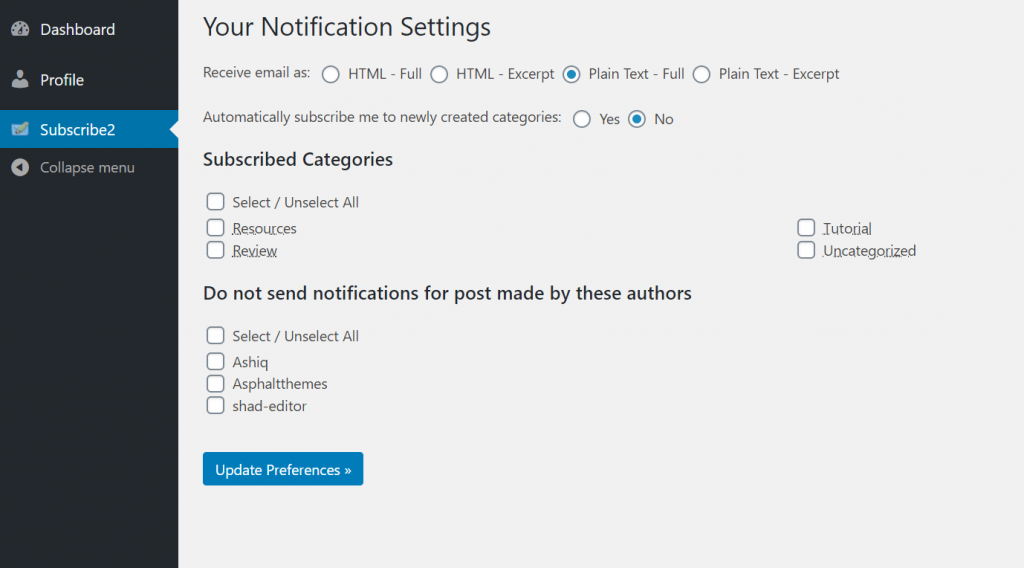
Registered users will have an additional option area under Subscribe2. This area allows them to choose which categories they would like to receive notifications about and also allows them to choose the email format.
That’s it for managing registered subscribers.