
Subscribe2 plugin is mainly to send email notification for new blog posts. However, you need to set up your email settings before sending notifications.
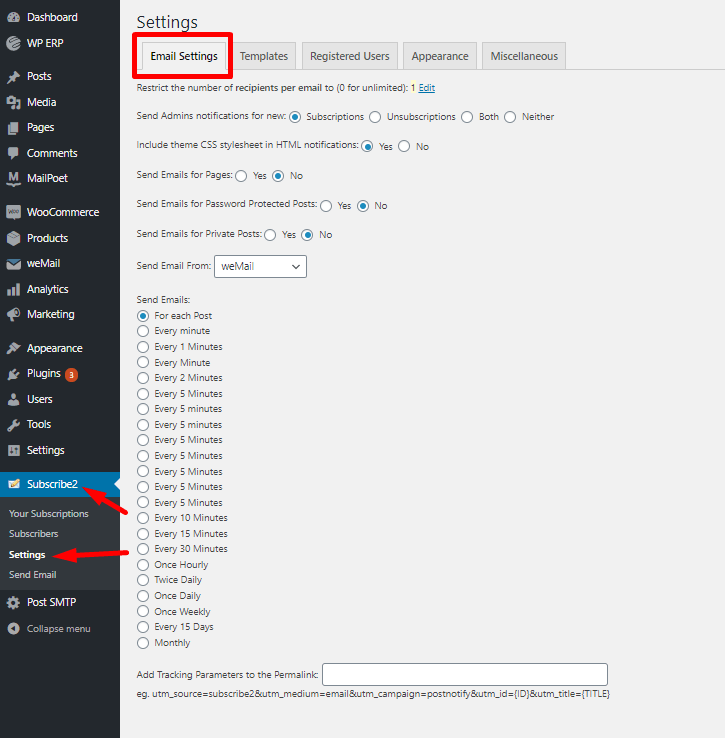
For email settings, navigate to Subscribe2-> Settings->Email Settings. There you will find all the options. You can choose to –
- Restrict the number of recipients per email
- Send Admins notifications for new Subscriptions/Unsubscriptions/Both/Neither
- Include theme CSS stylesheet in HTML notifications
- Send Emails for Pages
- Send Emails for Password Protected Posts
- Send Emails for Private Posts
Also, you can select from whom the mail will be sent and when to send emails. For example, for each post, after 1 minute, 2 minutes, weekly, monthly, etc.
If you want you can add tracking parameters to the permalink.
That’s it for email settings.