
There are 4 steps to creating a campaign with weMail. One of them is designing the email template. However, you can use shortcodes to easily use personalization & other useful functions.
If you look at the menu bar on the right hand side while designing the template you will see a shortcode option.
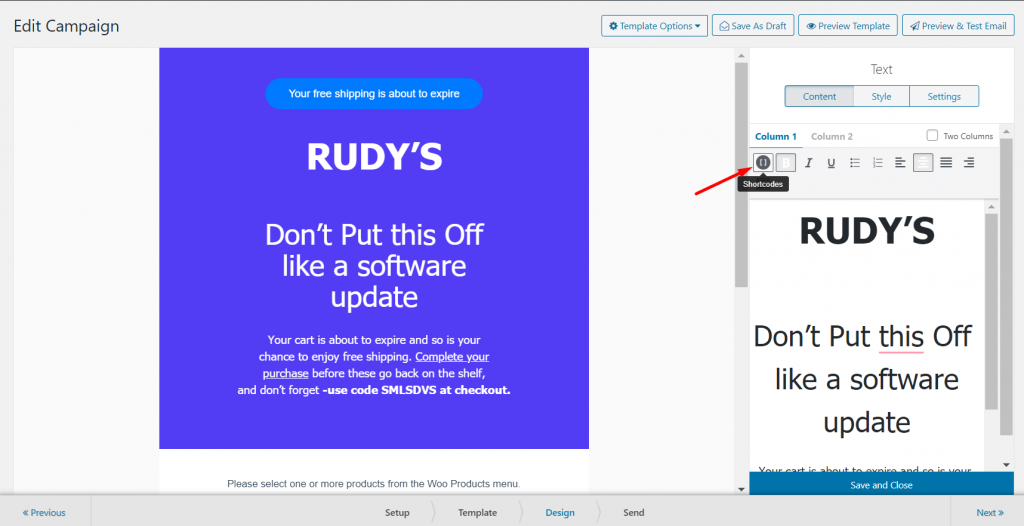
Now, you will find many options. Like,
Subscriber
These shortcodes will be used to get all the details of the subscribers of your list.
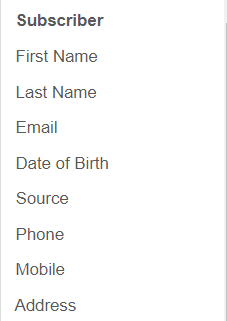
First Name: The first name of your subscriber.
Last Name: The last name of your subscriber.
Email: Email address of the subscriber.
Date of Birth: The date of birth of the subscriber.
Source: From where the subscriber subscribed.
Phone: Mobile number of the subscriber.
Address: Home address provided by the subscriber.
Date
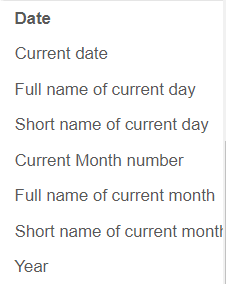
Current Date: This shortcode will post the current date.
Full Name of the Current Day: You can post the full name like Saturday, Sunday, etc.
Short Name of the Current Day: It will post a short name like Sat, Sun, etc.
Current Month Number: You can view the current month number.
Full Name of the Current Month: You can post the full name like January, February, etc.
Short Name of the Current Month: It will post a short name like Jan, Feb, etc.
Year: This shortcode will post the current year.
Company
The company details you have saved at weMail-> Settings-> Company Details, you can view them through these shortcodes.
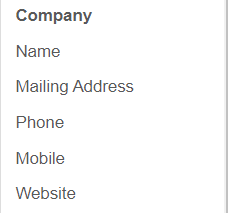
Name: Company name.
Mailing Address: Your official company mail.
Phone: Land phone number.
Mobile: Smartphone number.
Website: Company official website.
Links
You can put the links by using these shortcodes.
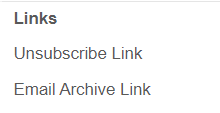
Unsubscribe Link: These links will help the subscriber to easily unsubscribe.
Email Archive Link: You can easily put the email archive link. It gives the user a link to view the email in the browser.
That’s it for weMail shortcodes.