
Keeping your subscriber list clean is very important. It ensures that people don’t subscribe to your list unwillingly. Double Opt-In feature enables you to do exactly that.
You can enable double opt-in for each post individually. To enable Double Opt-in to follow this documentation, when a user subscribes, he or she will get a verification email of confirming the subscription. That way no user can subscribe using a fake or spam email address.
And that will make sure your subscriber list is clean.
Go to weMail→Settings→Double Opt-in.
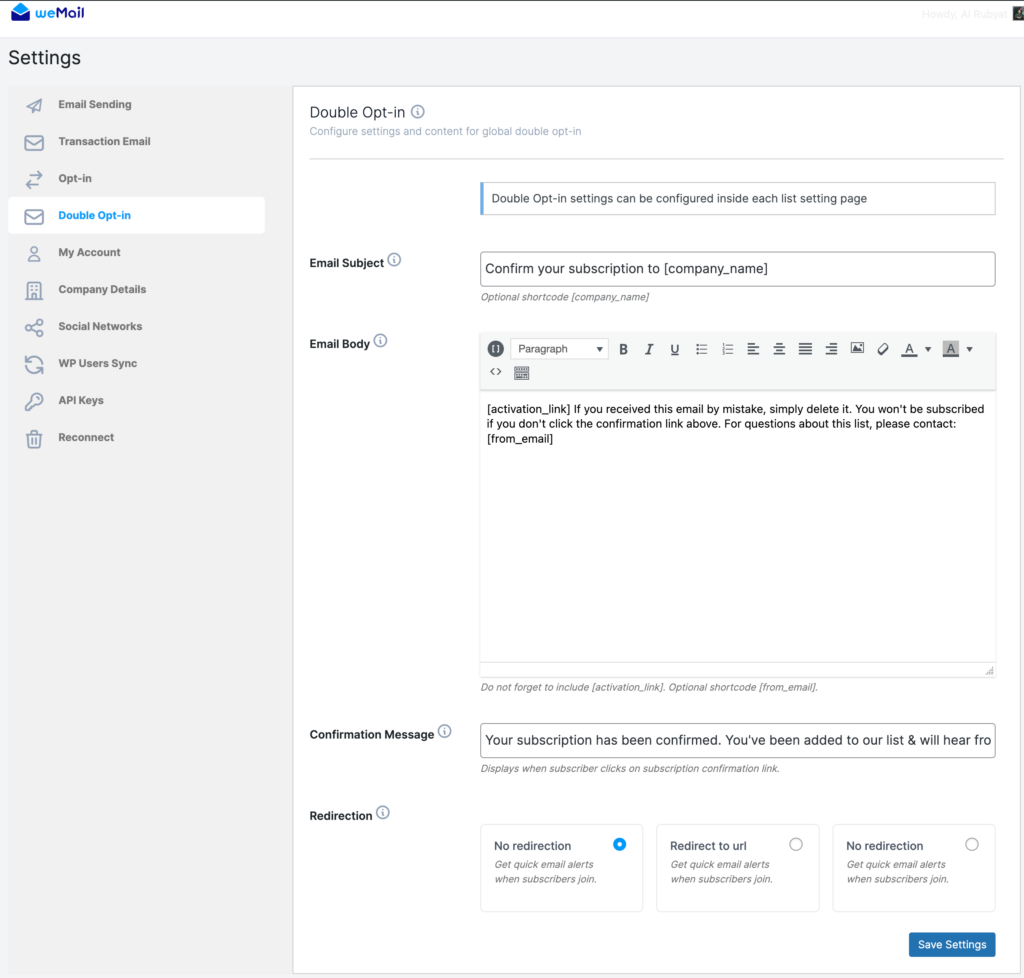
Add Email Subject, Email Body and Confirmation Message, your user will get after confirming the subscription. After confirming, your user will stay on the same page with no redirection.
Note: You can customize the email body as you like.
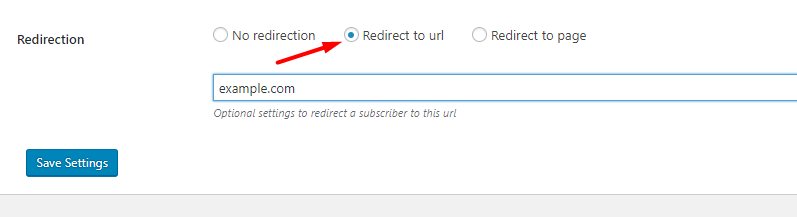
You can redirect your user to any URL of your choosing by selecting Redirect to URL option.
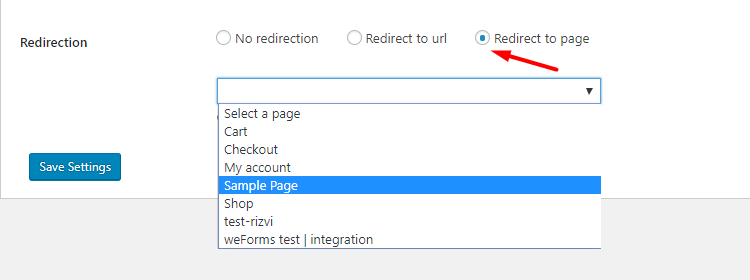
Or you can redirect your user to a page.
And you are done with Double-Opt-In!