
Skip to content

WordPress Users Sync

With the weMail WordPress Users sync feature, you can import your subscribers' lists from your WordPress site automatically with a single click. Here is how.

  • weMail
  • Updated Apr 8, 2026
  • 1 min read

With the weMail WP Users Sync feature, you can import your WordPress users automatically to your subscriber list with a single click.

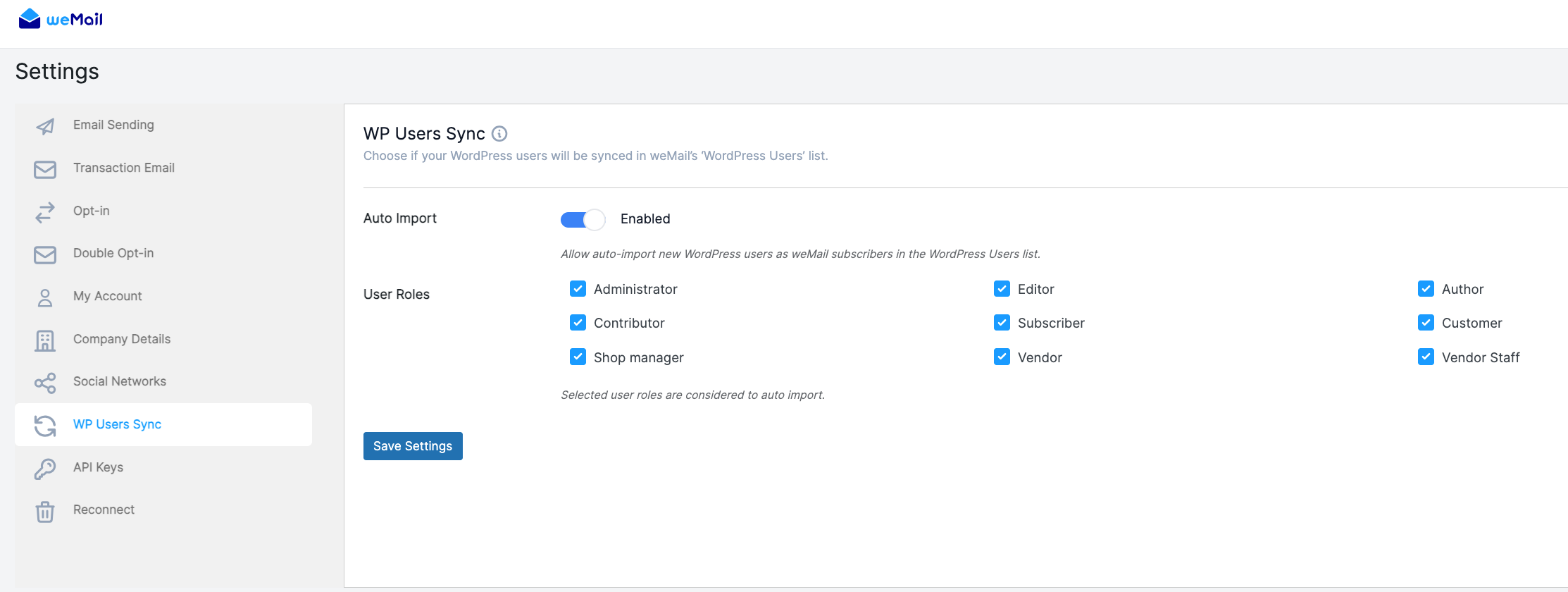
Go to weMail – Settings – WP Users Sync.

Enable the Auto Import option and select the user roles you want to sync.

Click Save Settings and your WordPress users will be synced automatically with weMail.
That’s it!

Last updated on

Filed under weMail Settings

Still stuck?

Our support team can walk you through it.