
To start sending emails with weMail, you’ll need to connect a sending gateway.
Go to weMail – Settings – Email Sending and choose your preferred option.
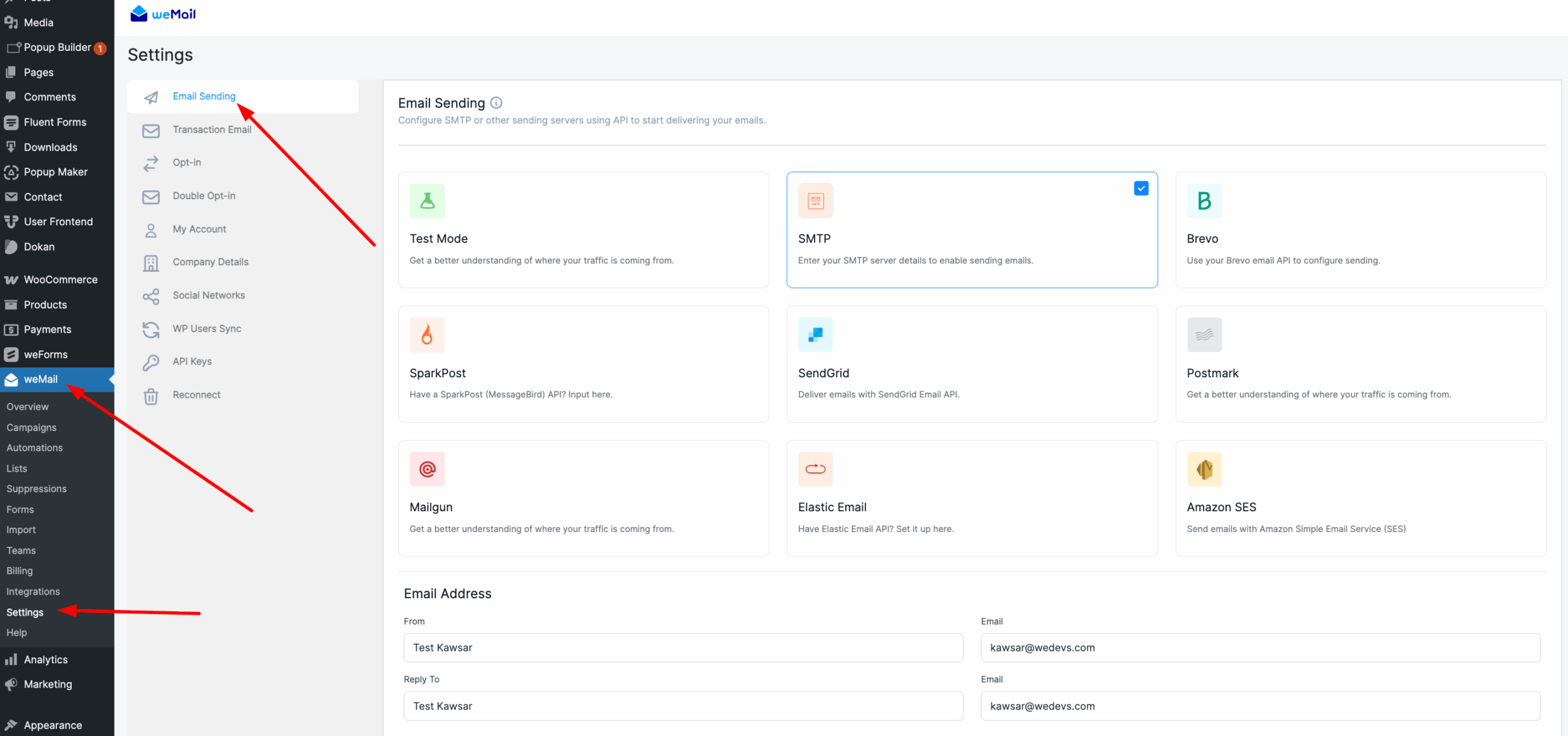
Available Gateways
weMail supports the following email gateways. Select one to get started:
- Test Mode
- SMTP
- Brevo
- SparkPost
- SendGrid
- Postmark
- Mailgun
- Elastic Email
- Amazon SES
- Pepipost
How to Configure
- Go to Settings – Email Sending.
- Click on the gateway you want to use.
- Enter your credentials or API key.
- Click Save Changes.
- (Optional) Click Send a Test Email to confirm it’s working.
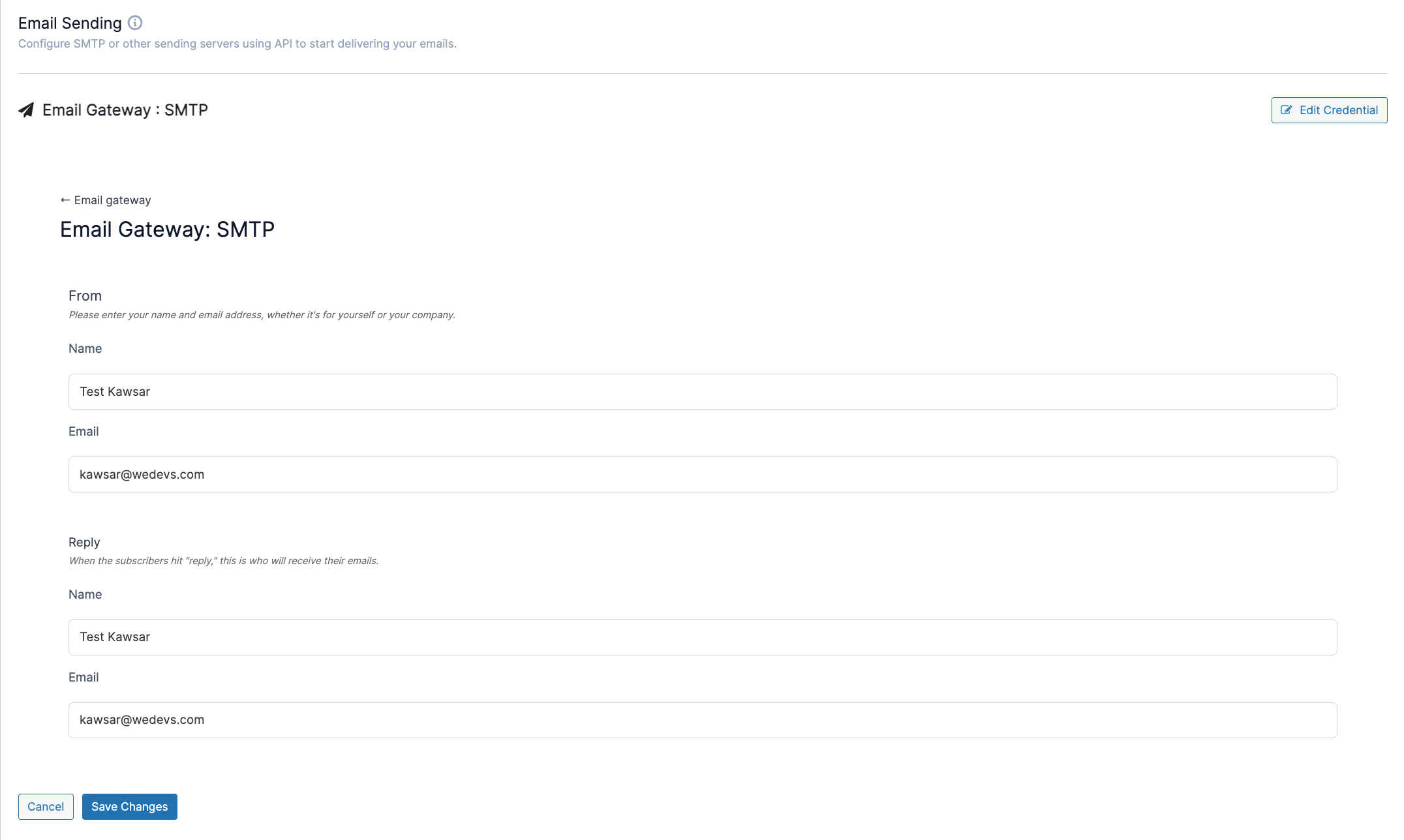
After setup, all your emails will be sent using the selected gateway.
You can switch to a different gateway anytime by selecting a new one and saving your settings.