
Simple Mail Transfer Protocol (SMTP) is a protocol for sending-transferring e-mail messages among servers. Most e-mail systems that send mail over the Internet use SMTP to send messages from one server to another. With weMail, you can use SMTP as your gateway.
How to Configure
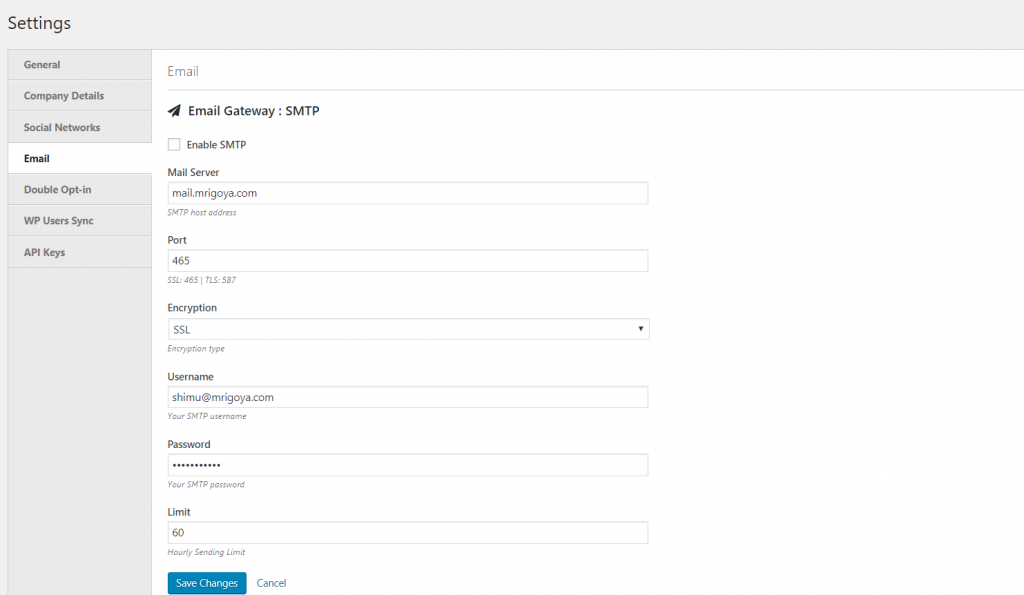
- Go to weMail→Settings→Email
- Click on SMTP
- Enable SMTP
- Type your Outgoing Mail Server. Port number
- If it is SSL/TSL, the port number will be 465 and if it’s not the port number will be 587
4. Type your username and password.
5. Hit Save Changes, and you are good to go.
And you’re done!