
HappyForms is a powerful form builder for WordPress. It allows you to create any type of contact easily. weMail also comes with full integration with HappyForms.
Now let’s see the steps on how to integrate HappyForms using weMail.
Prerequisite
- weMail
- HappyForms.
Note: In case if you have not installed HappyForms yet, click here it install it on your WordPress site.
Now, Create a new form using HappyForms.
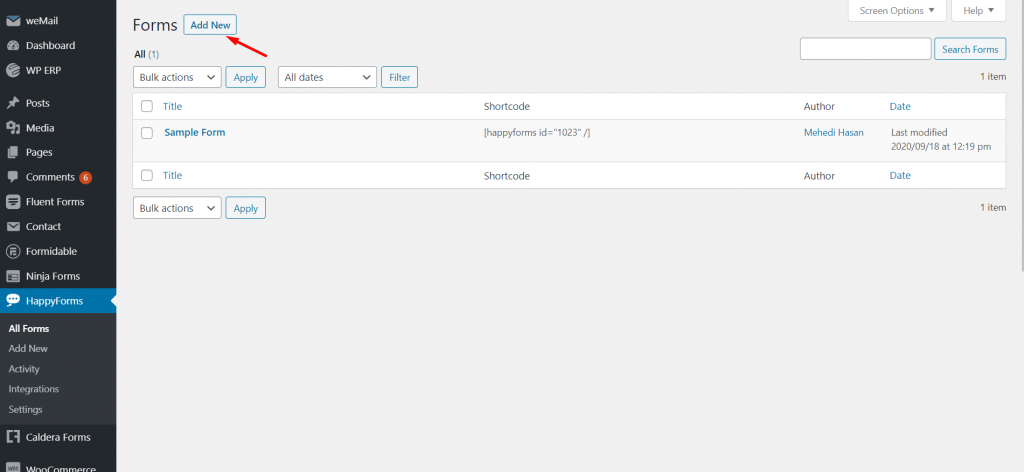
Note: If you want to know how to create a form using HappyForms, you can check out this documentation.
Now, navigate to weMail>Forms>And then click on Integrations.
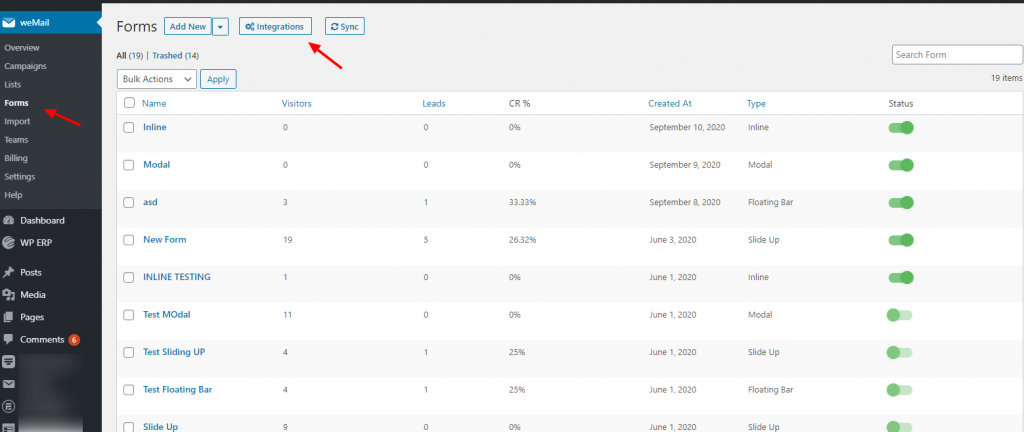
After clicking on the Integrations you’ll see all the integrated forms with weMail. So click on the form and finish the initial installation process.
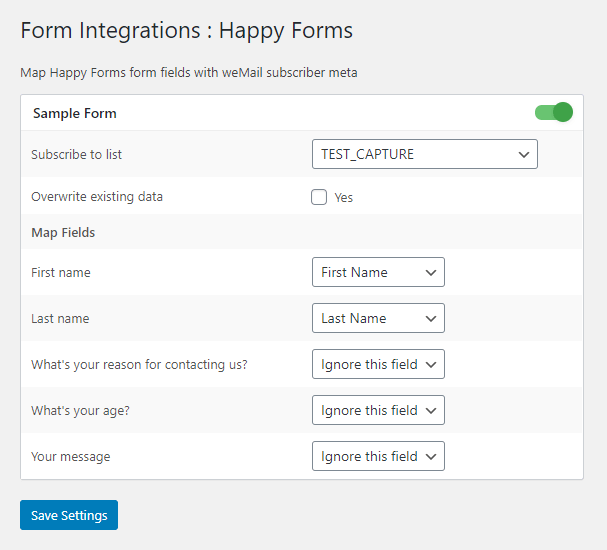
To integrate the HappyForms, you need to know some basic settings. First, you have to visit weForm→Forms→Integration→HappyForms.

Then click on the HappyForms to customize your contact form. Here, you will find the form that you created using HappyForms.
Just toggle on or off if you want to use it. And also select the list.
That’s it.