
If you install WP ERP along with weMail, you will get a new option called ERP CRM contacts. That means you can now import all your contacts available in WPERP CRM as your email subscribers.
Go to weMail→Settings→ERP CRM Contacts. Just enable the Auto Import option and select different user roles.
You can find three options,
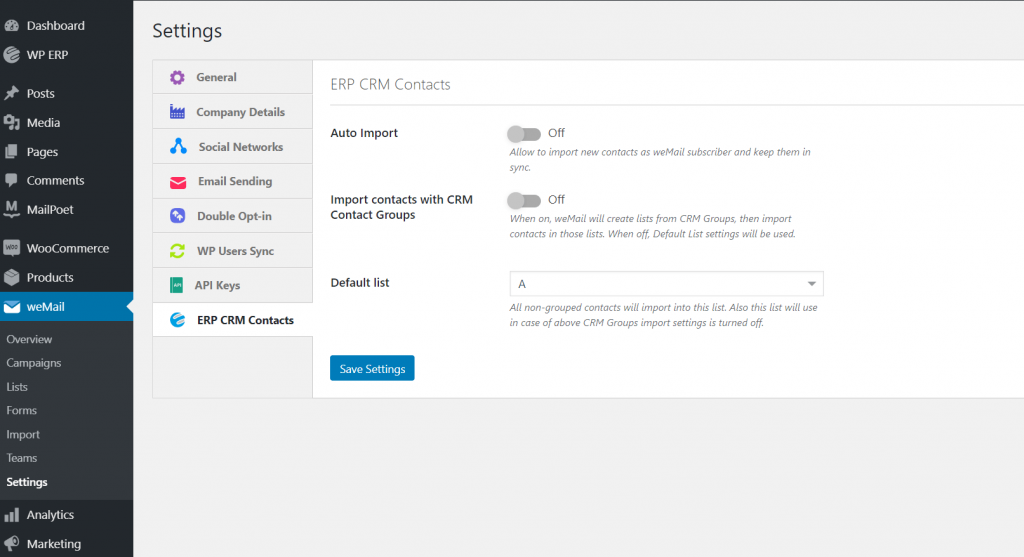
Auto Import: This will allow you to import new contacts as weMail subscriber and keep them in sync
Import contacts with CRM Contact Groups: When on, weMail will create lists from CRM Groups, then import contacts in those lists. When off, Default List settings will be used.
Default list: All non-grouped contacts will import into this list. Also this list will use in case of above CRM Groups import settings is turned off.
That’s it!